
M-TAG via А1
A1 in cooperation with the Public Enterprise for State Roads (JPDP) provides electronic toll payment service in Macedonia, using an M-TAG device.
To be able to use the service, you will need an electronic M-TAG device, available for purchase at A1 stores, for only 49 MKD/month.
How does the M-TAG device work?
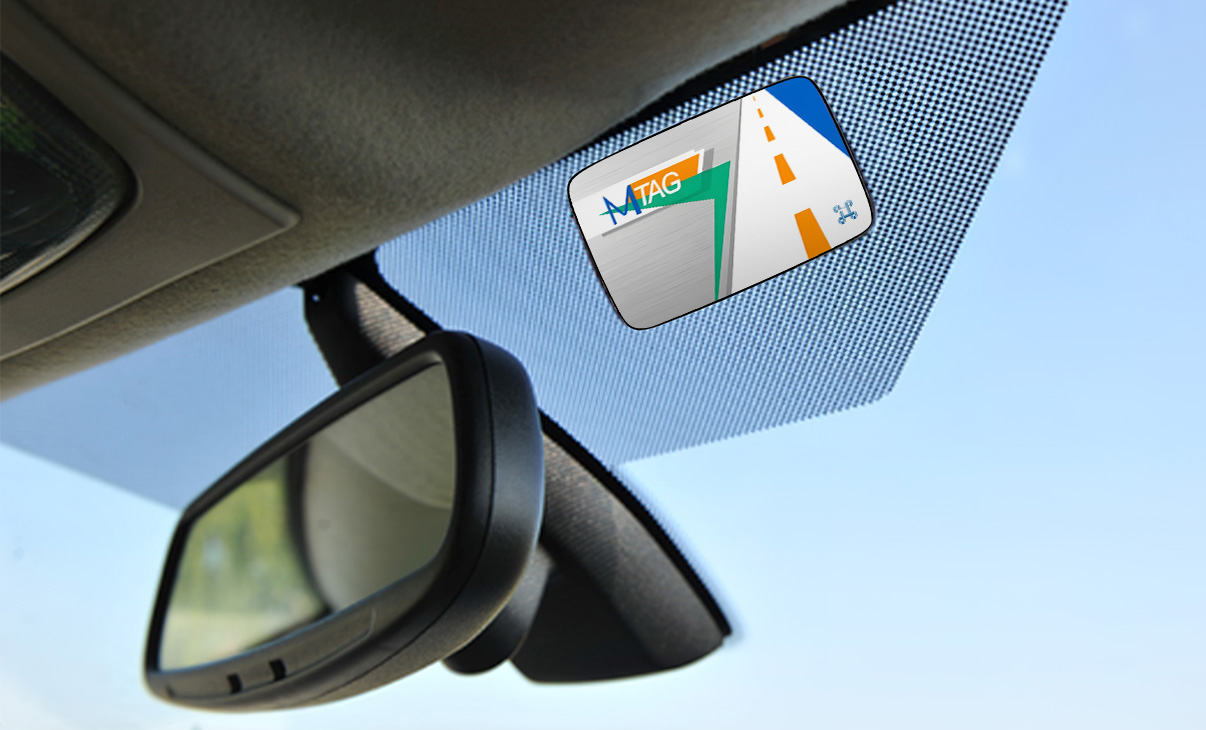
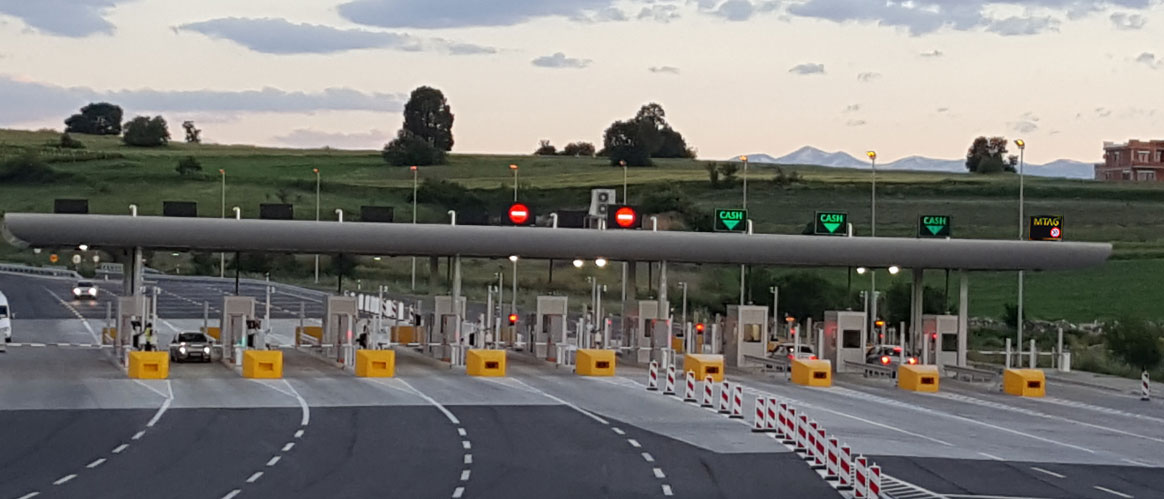
The M-TAG is placed on your vehicle, on the inside of the front window (the windshield), and allows you to pass through toll plazas without stopping. When the vehicle approaches a toll booth, a transponder registers the specific M-TAG device and opens the ramp automatically. The M-TAG service is only available at lanes marked with the M-TAG mark, which is usually the far right lane.
How to purchase an M-TAG device?
For all A1 postpaid mobile and fixed service customers, the M-TAG device is available based on a 24-month installment plan, for only 49 MKD/month, by conveniently adding monthly installments to customer’s A1 monthly bill. The device is also available for purchase based on a one-off payment of 1,199 MKD.
Registration
Your newly purchased device needs to be registered on the website below so it can be used.
How can I use the M-TAG device to pay toll fees electronically?
Payments for using the M-TAG service can be done via A1 postpaid phone number, by using a payment card or by pre-topping the device.
Payment via A1 Postpaid number
Link your A1 postpaid number to an M-TAG device. Each time you pass a toll, an amount is charged, which will then be added to the monthly bill for your A1 postpaid mobile number.
Card payment
Link your debit/credit card with the M-TAG device. The required amount will be charged from the linked card each time you pass through a toll plaza.
Top-up payment
You can top up your M-TAG device at any A1 store or via the registration website.
Minimum top-up amount: 1,000 MKD
- Card linking can be done on the registration website, where you will be prompted to add card information once the registration process is completed.
- • Details regarding the registration process, signing in and linking your postpaid phone number and payment card can be found on the webpage available through the following link.
- For toll payment via A1 postpaid number, there is a limit of 3,000 MKD in the billing period of the monthly bill. After exceeding the limit, the payment will continue to be realized via the entered payment card.
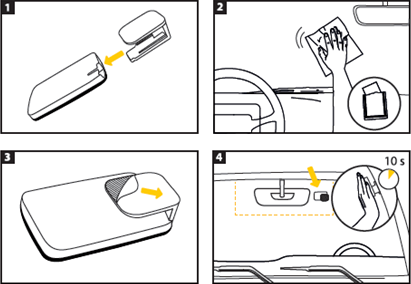
Instructions for properly placing the M-TAG device
- Insert the M-TAG device into its case, by sliding it completely into position.
- Make sure that the surface behind the front rearview mirror on your vehicle’s windshield is clean and dry before placing the M-TAG device.
- Peel off the protective paper strip from the adhesive tape on the back of the case.
- Attach the M-TAG device horizontally onto the windshield, right next to the rearview mirror or behind it. Press and hold the device against the glass for around 10 seconds. The entire adhesive surface must be in contact with the windshield so the device can be attached securely.
Short presentation of sound signals of the M-TAG device:
- A single sound signal: the M-TAG device has been successfully read, the payment was successful (there is enough balance).
- Two sound signals: the M-TAG device has been successfully read, the payment was successful, but the remaining balance is insufficient to make the next payment (the device needs topping-up).
- Three sound signals: The M-TAG device has been read successfully, but no vehicle has been detected on the traffic lane. The payment was unsuccessful.
- Four sound signals: The M-TAG device has been read successfully, but the payment has not been successful (e.g. insufficient balance, blocked device etc.).



